Guides
Marvel Rivals Graphic Packs: Restyle the Game and Boost FPS
A graphic pack replaces the map and environment textures Marvel Rivals ships with. The game looks different afterwards, and it also draws less, because the textures going in are simpler than the ones coming out. Six colourways and a set of environment packs come with the app, every one of them built on your own PC, and you can build another from a handful of colours.
What a graphic pack actually changes
The textures, and the cost of drawing them. A pack is a rebuild of the game's map and environment surfaces in a new palette and at a lower render cost, delivered as a pak that loads alongside the game's own files. The app's info popover on the tab says it in one line: "simpler, faster map and environment textures", an FPS boost that replaces what the game draws.
So the look and the frame rate come out of the same switch. There is no separate performance setting that a pack sits politely on top of, and a pack does not cost nothing either. It changes the picture, and lightening the picture is exactly how it hands the frames back.
How much comes back depends on the machine and the map. Environment surfaces are most of what is on screen in a fight, so a pack has plenty to work with, but a game that is waiting on your CPU will not move as far as one waiting on your GPU. If your problem is spikes rather than a low average, start with the stuttering guide and come back to pick a pack on looks.
What each pack looks like
Drag the divider to compare the default game against a pack, and use the tabs to switch between them. These are the same captures the launcher shows in its own preview.
Graphic Packs
The same scene, six ways.
Drag to compare, and switch packs with the tabs. Every one of these is compiled on your PC from your own game files.
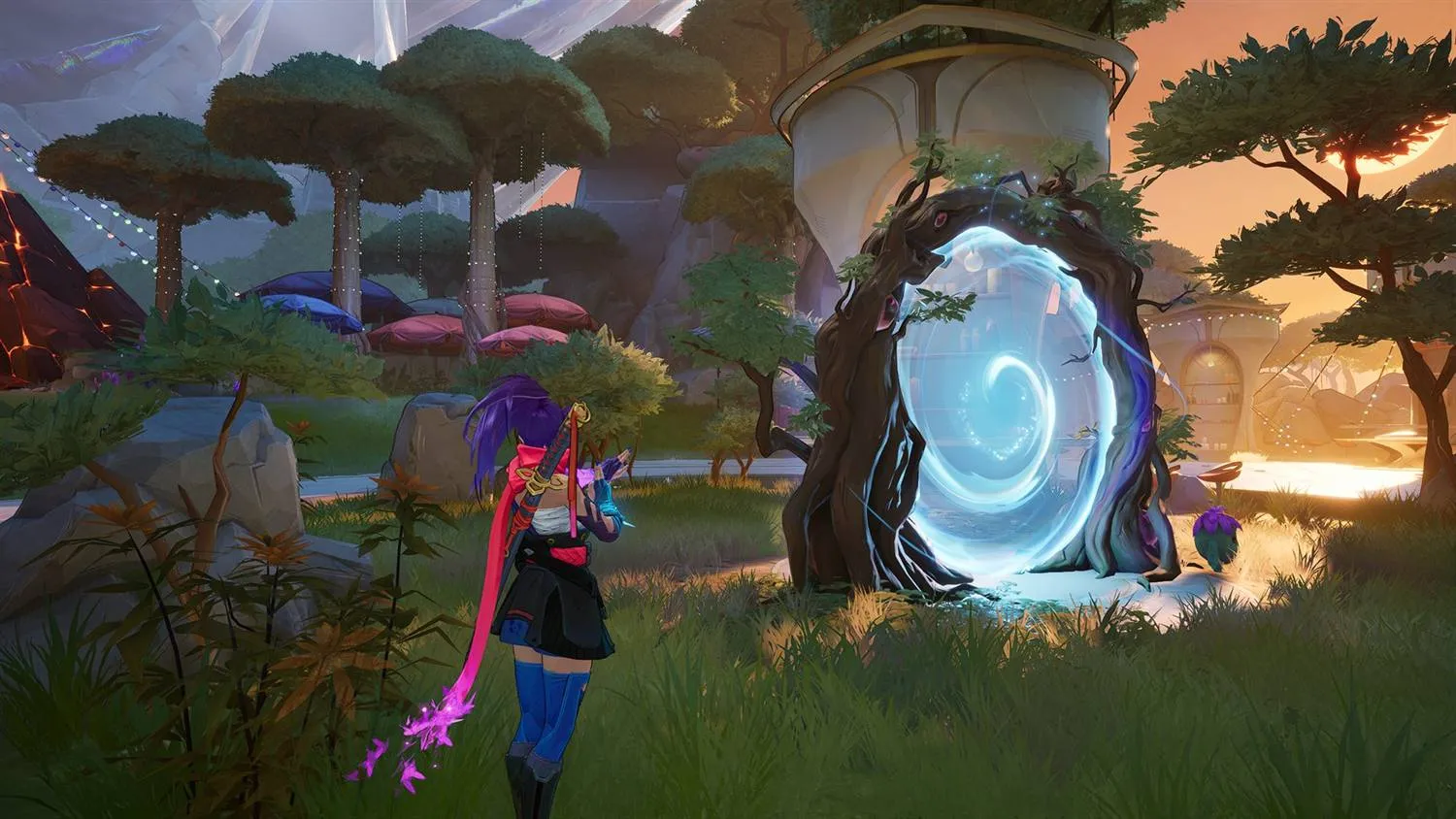
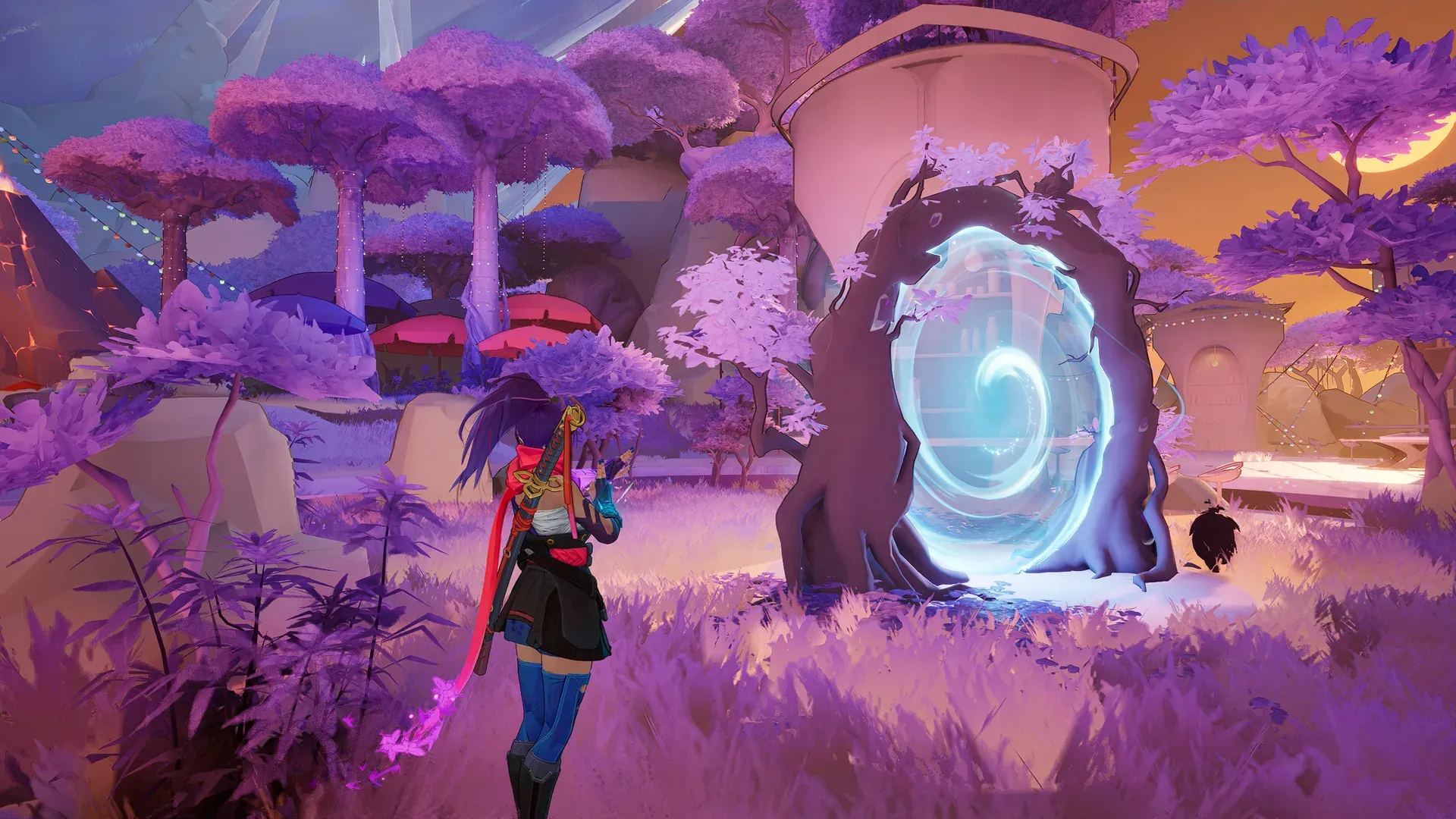
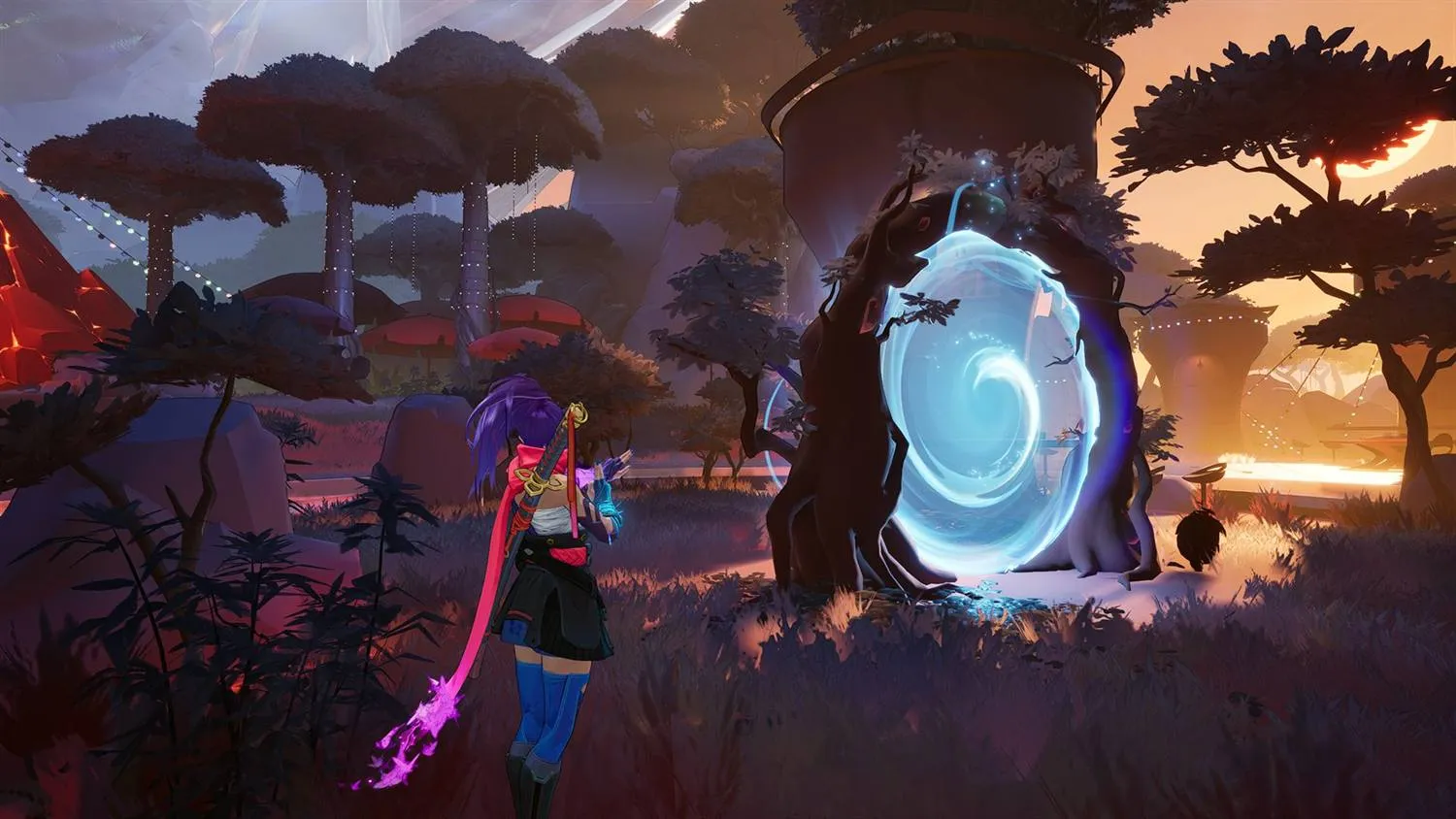
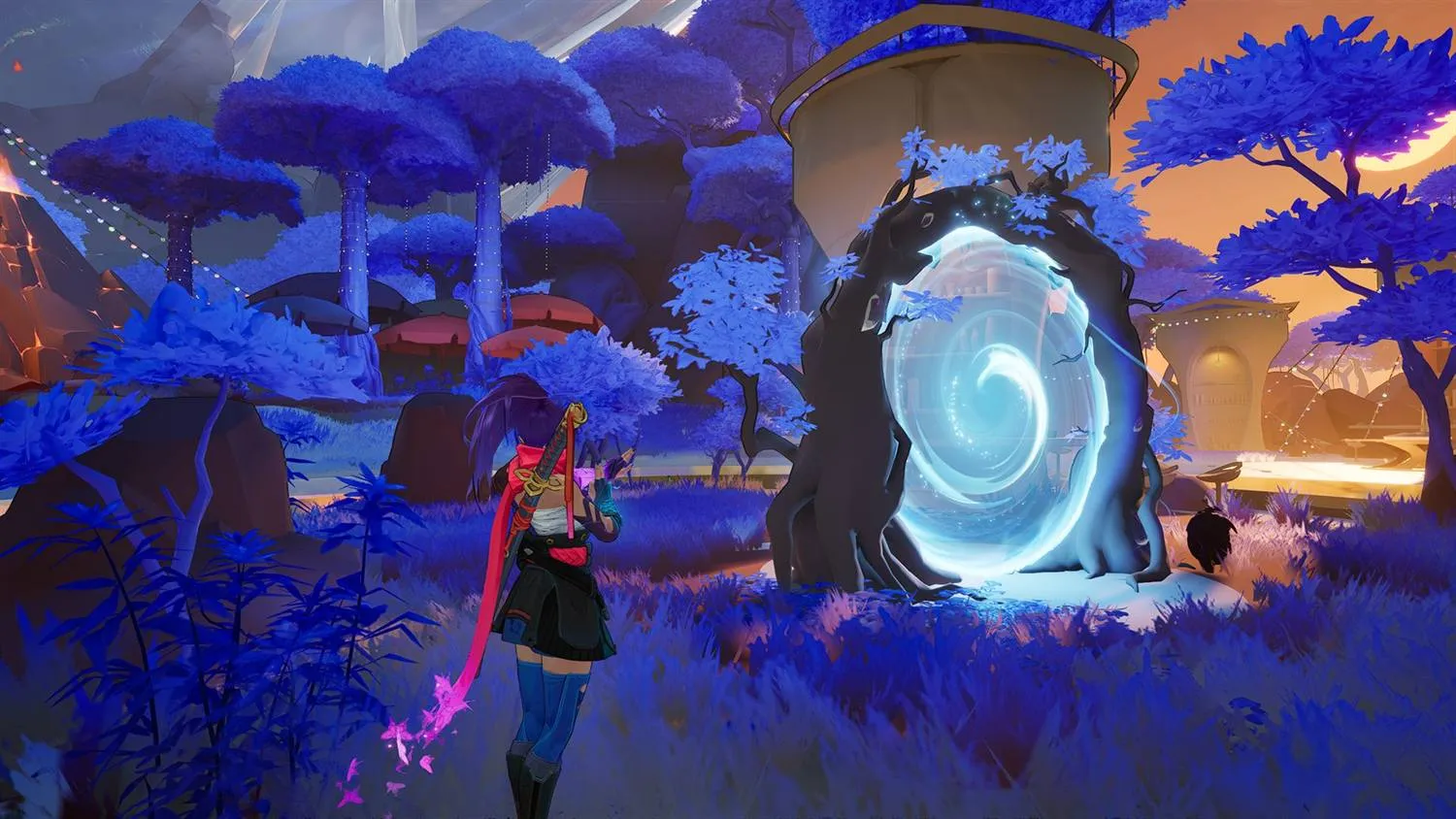
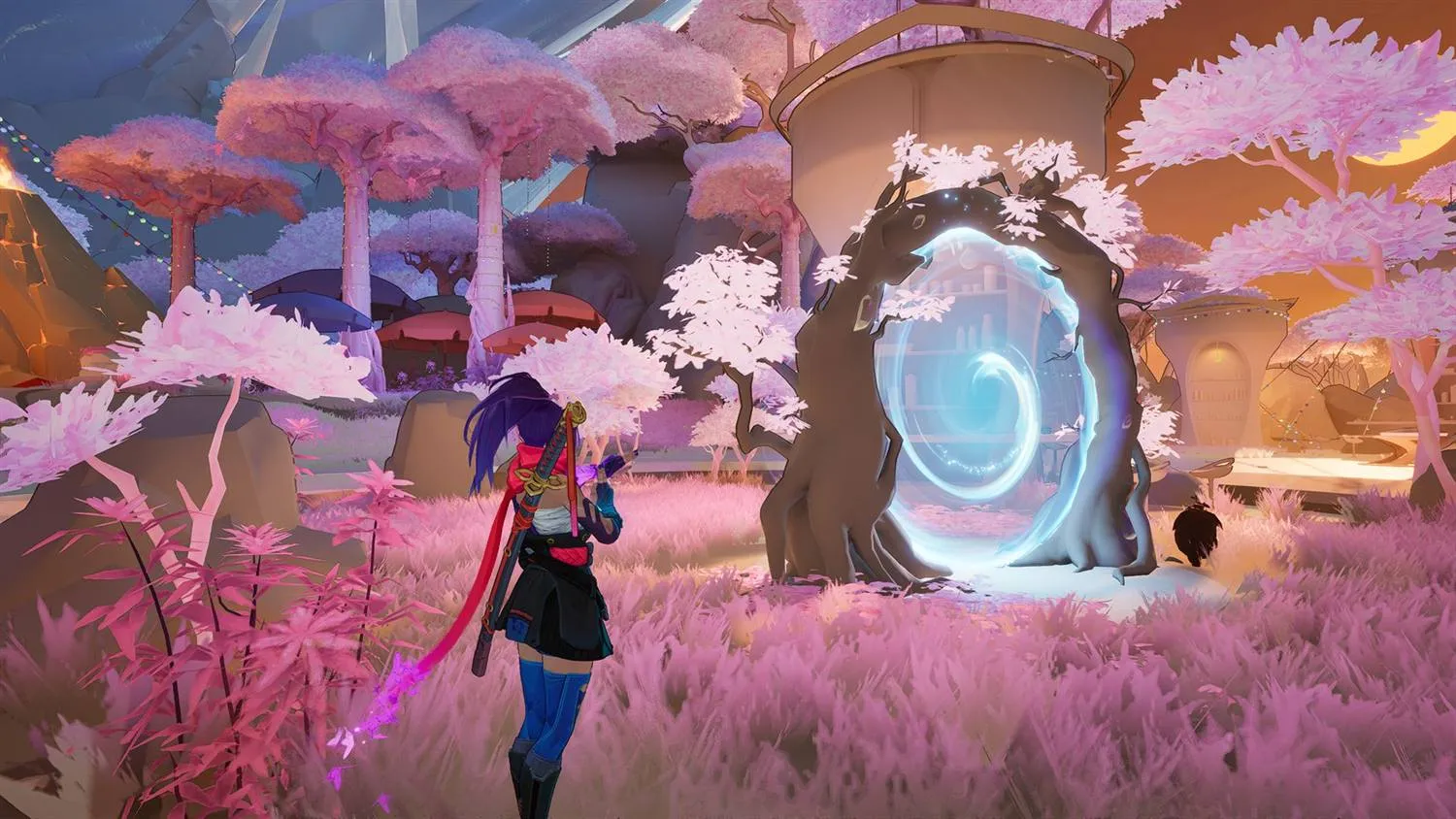
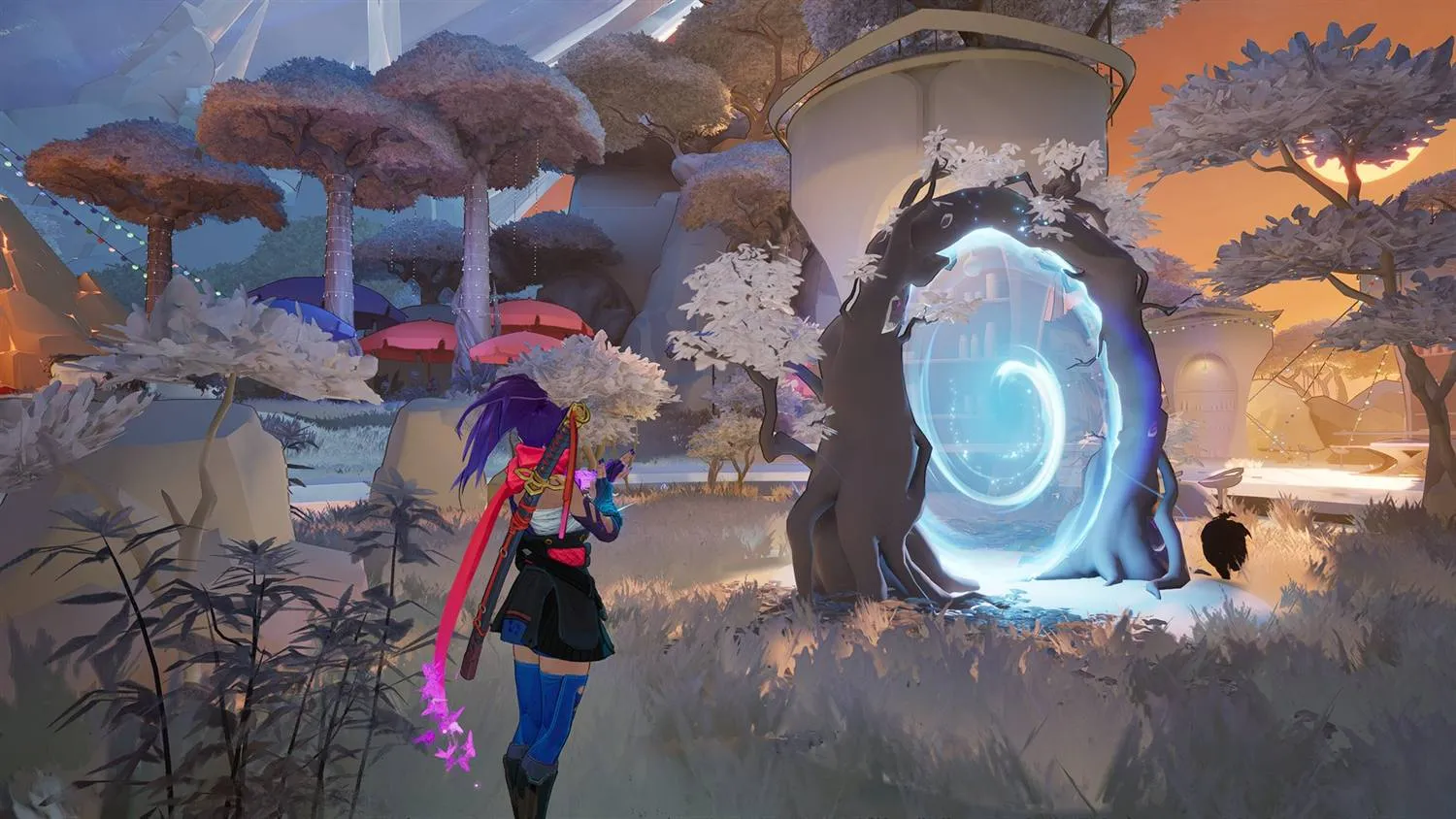
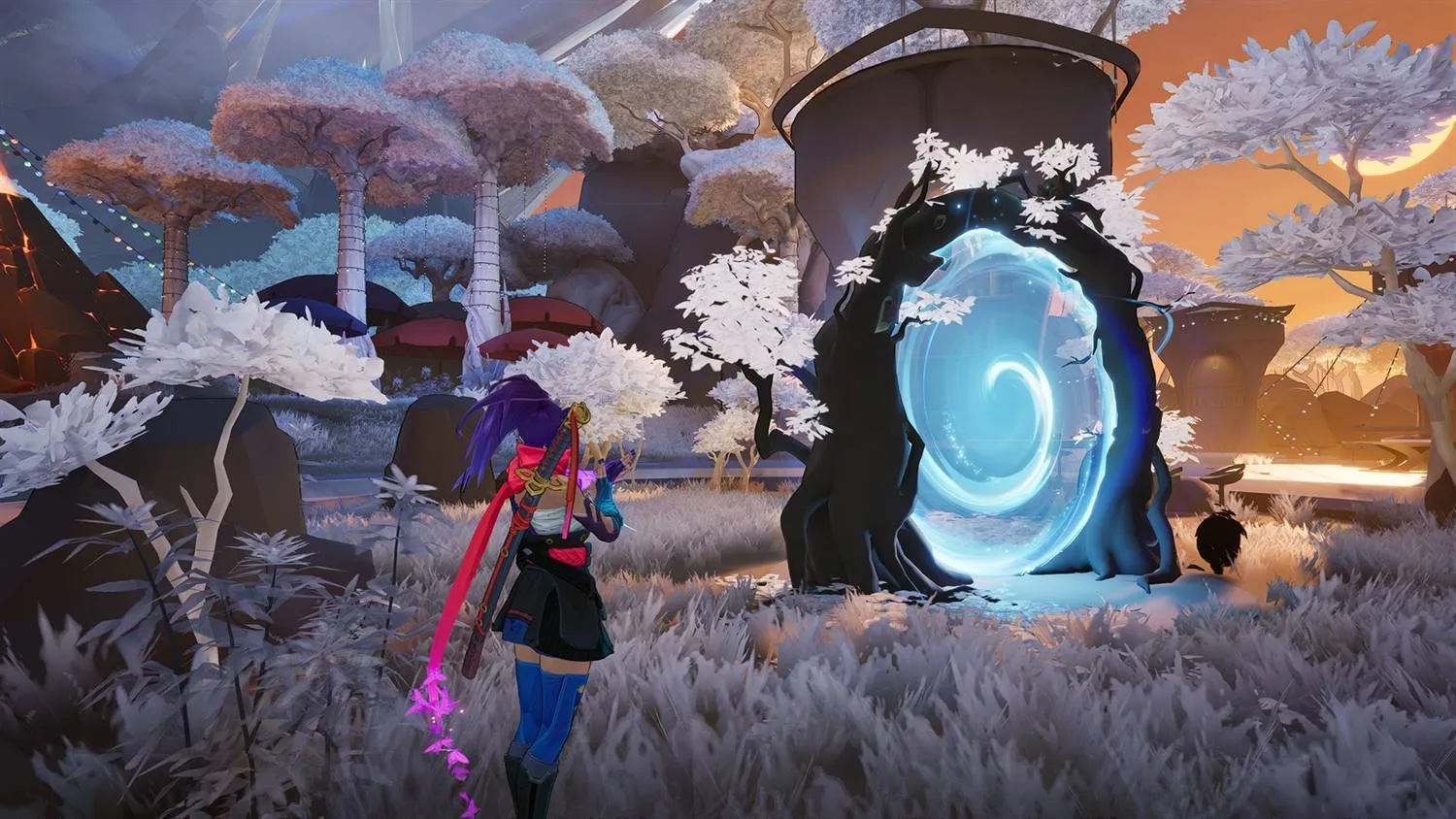 Default Amethyst Dawn
 Amethyst & cream textures, made by us
The packs that ship
Six colourways come with the app. Four are there because they look good, and two are there to get out of the way.
Beside them sit the Quake-style environment packs, which take the same idea as far as it goes: flat, single-colour surfaces in the style of the old arena shooters. Nothing on a wall competes with a player standing in front of it, and there is very little left for the game to draw.
Every pack is built on your PC
Nothing here is downloaded. The library is a list of recipes, and the app carries a builder that compiles each one locally out of the game files already on your disk. Activating a pack for the first time runs that builder. There is no pack server behind the library, and no third party in the middle handing you a texture archive.
That is worth spelling out, because "install this texture pack from a link" is how most of this corner of the internet works, and it asks you to trust a stranger's pak file. The textures a RivalsFPS.gg pack writes came out of your own install. It also means the library grows without you reinstalling anything, and it means the same builder can be pointed at a recipe you wrote yourself.
Six layers on top of the pack
Above the library sit six selects. They are their own control surface rather than settings belonging to a pack: they stack on whichever colourway is active, or on none at all.
Foliage Style
How grass and bushes are drawn, down to not drawing them.
Foliage Res
The resolution those foliage textures are drawn at.
Visual Effects
Explosions, beams and the rest of the ability VFX.
Characters
Hero and costume surfaces, kept separate from the map.
Decals
Bullet marks, scorch and the other stick-on detail.
Shadows
Whether the map casts them, and how heavy they are.
Four presets set all six at once: Default, Competitive, Balanced and Pretty. Default is the game as it shipped, Competitive strips the frame back to what you need in order to see a player, Pretty stays close to the original, and Balanced sits between them. Change one select on its own and the preset reads Custom.
Picks stage as a draft, so nothing happens until you hit Apply and the whole set commits in one pass. Where a layer and the pack cover the same textures, the layer wins.
Which preset to run, and what each of the six does to a frame, is a longer subject than this page has room for. It is covered in the graphic pack settings guide.
Building your own pack
The Custom Pack button in the Graphic Packs tab header opens the builder over the library. It is deliberately an action on that tab rather than an entry in the nav rail, because what it writes is a row in the library sitting underneath it. Give the pack a name of up to 40 characters, and the rest of the dialog is the recipe.
The tone ramp is the heart of it: two to five colour stops, darkest first. Every texture keeps its own brightness and takes the colour at that point on the ramp, so the darkest surfaces get your first stop and the brightest get your last. That makes it a recolour rather than a hue shift or a replacement, which is why a map still reads as a map afterwards, with its own light and shade intact. Set two stops to the same colour and you get the flat, single-colour look the Quake bases are built from.
A gamma slider from 0.6 to 1.6 bends where the mid-tones land on that ramp, so the middle of the picture can lean toward your dark stop or your bright one without either of them changing.
- Terrain has three modes. Recolor, the default, puts ground and rock on the ramp with everything else. One color gives terrain its own colour and a brightness slider, and the ground keeps its own light and shade while taking only the hue. Leave alone skips it.
- Foliage tint is Color or None. Color picks the shade grass and bushes take, None leaves them as they are.
- Create builds the pack on your PC and activates it in your library, next to the ones that shipped.
A custom pack is not a one-shot export. It stays editable from the gear on its row for as long as you keep it, so a ramp you nearly like is one colour stop away from one you do.
Turning one on
- Open the Graphics tab.
- Pick a pack from the library and hit the eye to see it before and after.
- Activate builds it if it has not been built yet, then installs it. One pack is active at a time.
- Deactivate puts the default textures back. Nothing is left behind.
Marvel Rivals ignores unsigned paks, so a pack does nothing until the signature bypass is in place. That is one click inside the app with nothing to download. Windows may ask for permission to write to the game folder, which is expected. It is the same bypass the Mod Manager uses, so it goes in once and covers everything.
You can bring your own, too. The tab imports a pack somebody else made, and Open Graphic Packs Folder puts you in the directory the app keeps them in, so nothing about your library is hidden from you.
Which one to pick
The two Competitive Grays flatten surfaces to plain light or dark gray, which leaves an enemy as the most detailed thing on your screen. They are what to run if you are picking on results rather than taste, and the environment packs take that further still.
Black Crimson, Royal Blue, Rose Gold and Amethyst Dawn lighten the same load while looking like something. Amethyst Dawn is the newest and the one exception in how it is built: every other colourway maps the game's surfaces onto two tones, and this one uses five, running deep violet through lavender to a warm cream highlight. That extra range is why its lit surfaces keep more separation than a two-tone pack, and it ships with its own recoloured foliage set so plants match the rest of the palette instead of staying green.
If none of the six is quite right, the builder is one click away, and five stops is the same ceiling Amethyst Dawn was built against.
Colour grading is the one thing a pack cannot do for you: it changes the textures, not the grade on top of them. That is what Color Correction is for, and the live preview on that page runs with nothing installed.
Common questions
What is a graphic pack in Marvel Rivals?
A set of replacement map and environment textures. The app builds them on your PC out of your own game files, then loads them as a pak alongside the game's own. They are simpler than the textures they replace, so the game looks different and draws less at the same time.
Do graphic packs increase FPS?
Yes, that is the point of them. A pack replaces what the game draws with something cheaper to draw, and that is where the frames come from. How many you get back depends on your machine and on how much of your screen is map rather than characters and UI. A game held up by your CPU will move less than one held up by your GPU.
Do I have to download a graphic pack?
No. Nothing is downloaded. Every pack in the library and every layer setting is compiled on your PC by a builder bundled with the app, from the game files already on your disk. The library is a list of recipes rather than a list of downloads.
Can I run two graphic packs at once?
No. One pack is active at a time, and activating a second replaces the first. The six layer settings are separate and stack on top of whichever pack is on, and for the textures a layer covers, the layer wins.
Can I make my own graphic pack?
Yes. The Custom Pack button in the Graphic Packs tab header opens the builder over the library. It is deliberately an action on that tab rather than an entry in the nav rail. Name it, pick two to five colour stops darkest first, and every texture keeps its own brightness while taking the colour at that point on the ramp. It builds on your PC and joins the library beside the packs that ship, editable afterwards from the gear on its row. You can also import a pack somebody else made.
Will a graphic pack get me an in-game warning?
The Graphic Pack Library carries one line about this in the app: No in-game warning. That is what has been tested on-rig. It is still a third-party modification of the game's files, NetEase's published rules treat it as one, and nobody at RivalsFPS.gg can promise you what NetEase does next. Deactivating a pack puts the default textures back and leaves nothing behind.
Do other players see my graphic pack?
No. The pack is a file on your PC and it changes what your machine draws. Everyone else sees the map the way the game ships it.