Features
Make the game look how you want
Skins, graphic packs, packs you build yourself, color grading, and your own hitsounds, with a mod manager, NVIDIA quality presets, and 14 Windows tweaks behind them. All of it free.
Launcher
Launch from Home
The live Steam player count, the official Marvel Rivals news feed, status cards for your mods, quality preset, graphic pack, bypass, and skins, and one button that starts the game through your store.
- Finds your game
- Steam, Epic Games, and Loading Bay. If it cannot detect yours, browse to the folder from the Game Install card.
- Knows your PC
- Your detected hardware sits on the page with a Copy PC build button, which is the thing every support thread asks for first.
- Stays out of the way
- Closing the window minimizes to the tray so launch-scoped settings go back when the game quits. Quit from the tray to close it for good.

Mod Manager
Every mod in one list
Reads your game's ~mods folder directly, so anything you installed by hand is there the first time you open the tab. Import a .pak, .zip, .7z, or .rar, or drop them on the window.
- Turn one off without deleting it
- The switch unloads a mod and leaves the file where it is, so turning it back on is a rename rather than a move.
- Conflict detection
- When two enabled mods carry the same game asset, the app names both mods and the assets they share. It does not pick a winner for you.
- Flagged mods
- Mods known to get players kicked carry a Flagged badge with the reason, a support code, and one-click removal. The same check runs when you press Launch.
Quality
Trade texture quality for frames
Three presets that lower texture quality through the NVIDIA driver's own profile for Marvel Rivals. It needs an NVIDIA graphics card, and no game files are touched.
- Three tiers
- Ultra Potato for the most frames, Potato in between, Standard for the lightest touch. Each row says what it costs before you turn it on.
- Only on a launch from here
- Armed in the tab, written when you press Launch, put back when the game closes. Start the game any other way and it runs stock.
- What we measured
- Around 3% more FPS on a high-end card with Ultra Potato. Weaker cards gain more, and most of it lands in the 1% lows rather than the headline number.
Graphic Packs
Retexture the whole game
Colorways and Quake-style environment packs, one active at a time. Every pack is compiled on your PC out of your own game files, so there is nothing to download.
- Six colorways in the box
- Amethyst Dawn, Black Crimson, Royal Blue, Rose Gold, Competitive Gray, and Competitive Dark Gray. Import your own and it sits in the same library.
- Six layers over the top
- Foliage Style, Foliage Res, Visual Effects, Characters, Decals, and Shadows, each set to Default, Competitive, Balanced, or Pretty. Changes stage as a draft and go on with one Apply, and for the textures a layer covers, the layer wins over the pack.
- Simpler textures, less to draw
- A pack replaces the map and environment textures with lighter ones, so the game draws less. The look changes with it, which is the trade you are making.
Skin Manager
Character skins, sorted by hero
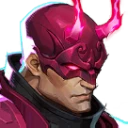
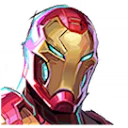
Every skin mod you own, grouped under the character it replaces and resolved to the exact costume slot from a 513-entry table, so a row names the hero and the costume instead of a filename.
- A real 3D viewer
- Renders the mod's mesh, extracted from your own game files, so you can look at a skin from every side before you turn it on.
- Run as many as you like
- Skins are additive, one per costume slot. When two mods want the same slot the app says which two, and resolves it in one click.
- Client side only
- You see the skin. Everyone else in the match sees the default costume.

Sounds
Your own hitsounds
Sixteen replaceable game sounds across Combat, Killstreaks, Healing, and Kill feed. Assign your audio, name the set, and the app builds it into a mod.
- Fill one slot or all of them
- Drop a .wav, .mp3, or .ogg on a slot, or drop a whole folder and the files whose names match slot names fill themselves in.
- Set the level before you build
- Per-slot gain with a clipping warning, and preview plays back at the level you set rather than at full.
- Open one back up
- Load mod reads a finished sound mod back in, so you can swap a clip and build again. A small library ships with the app if you have nothing to hand.
Color Correction
Grade the game like footage
Vibrance, Contrast, Midtones, and Black level, with four presets: Default, Soft, Vivid, and Bold. It runs as a ReShade effect in game.
- Preview before you install anything
- A live preview on a real game frame, working with no ReShade on the PC and nothing downloaded. Press and hold to see the untouched frame. The preview runs the same shader text as the .fx file ReShade loads, and a test in the app's build fails if the two ever drift.
- ReShade stays crosire's
- The app never bundles or hosts it. It links the official versioned installer at reshade.me, finds the downloaded file in your Downloads by itself, and runs the setup already aimed at the game.
- Off in one keypress
- End switches the effect off mid-match, and turning the feature off renames the proxy DLL so ReShade never loads. Tested in game, it does not trip Marvel Rivals' modification warning.
Windows Optimizations
14 OS-level tweaks
Registry, power, display, and input tweaks that cut latency outside the game. Every one is reversible, Revert All undoes the lot, and the few that need a restart say so.
- Network
- TCPNoDelay, throttling, update seeding, and adapter power.
- GPU and power
- Hardware scheduling, the dedicated GPU, max refresh rate, and the Ultimate Performance plan.
- Input
- Mouse acceleration and the popups that steal focus mid-match.
Settings
Yours to control
Five tabs: Game Install, Launch, Display, Diagnostics, and App. Everything the app changes can be put back from here, and every launch-scoped setting goes back on its own when the game closes.
- Signature Bypass
- What lets the game load mods, graphic packs, skins, and sound mods at all. DeathChaos's work, redistributed with permission, built in with nothing to download. It writes into the game's Binaries folder, so Windows asks for permission when you install it.
- Discord Rich Presence
- Shows Playing Marvel Rivals or In app, and never a mod, pak, or setting. On by default, off whenever you want.
- Updates and analytics
- New versions install themselves at launch and the bell says what changed. Anonymous usage stats are on by default and switch off here, immediately.