Guides
Marvel Rivals ReShade: Color Correction, Presets and Setup
Color Correction is a tab in the RIVALSFPS.GG desktop app that grades the finished Marvel Rivals frame through ReShade: vibrance, contrast, midtones and black level, with four presets and a live preview you can drag before anything is installed. This is what each control does, how the install works, and what is and is not being claimed about it.
What ReShade is
ReShade is a post-processing injector for PC games. It sits between the game and your screen, takes the frame after the game has finished drawing it, and runs shader effects over the top. It is free, it is open source, and it is crosire's work.
RIVALSFPS.GG never bundles or hosts it. reshade.me asks plainly that people be linked to the site rather than handed the binaries, so the app links reshade.me and nothing else. What the app owns is the other half: one shader, one preset, and the panel you set them from.
Marvel Rivals color correction: the four controls
Every control is a pure per-pixel function of the finished frame. That is a constraint rather than a coincidence, and the preview depends on it: an effect like sharpening has to sample neighbouring pixels, which makes the result depend on resolution, and a preview canvas smaller than your monitor would then be showing you something slightly untrue.
Vibrance -1.00 to 1.00
Pushes color away from gray, weighted by how colorful a pixel already is. A near-gray pixel moves the most, a fully saturated one barely moves, so a map can gain separation without every face turning orange. Negative values pull the frame back toward gray instead.
Contrast -0.50 to 0.50
Expands the picture around mid-gray. Positive pushes the darks and the lights apart, negative brings them together. This is the control that makes a silhouette read against a busy background, and the one that buries a shadowed corner if you overdo it.
Midtones 0.50 to 2.00
A gamma curve. It bends where the mid-tones sit without moving pure black or pure white. Exactly 1.00 is skipped in the shader rather than computed, so neutral is a true no-op instead of a curve that happens to be flat.
Black level 0.00 to 0.25
Raises the floor and leaves white alone, so the darkest part of the frame stops being fully black. Use it to see into an unlit corner, or to give back what a heavy contrast setting crushed.
They reach the GPU in a fixed order: black level, then contrast, then midtones, then vibrance. That order is why lifting the blacks first and adding contrast second gives a different picture from doing it the other way round, and it is the order the panel lists them in.
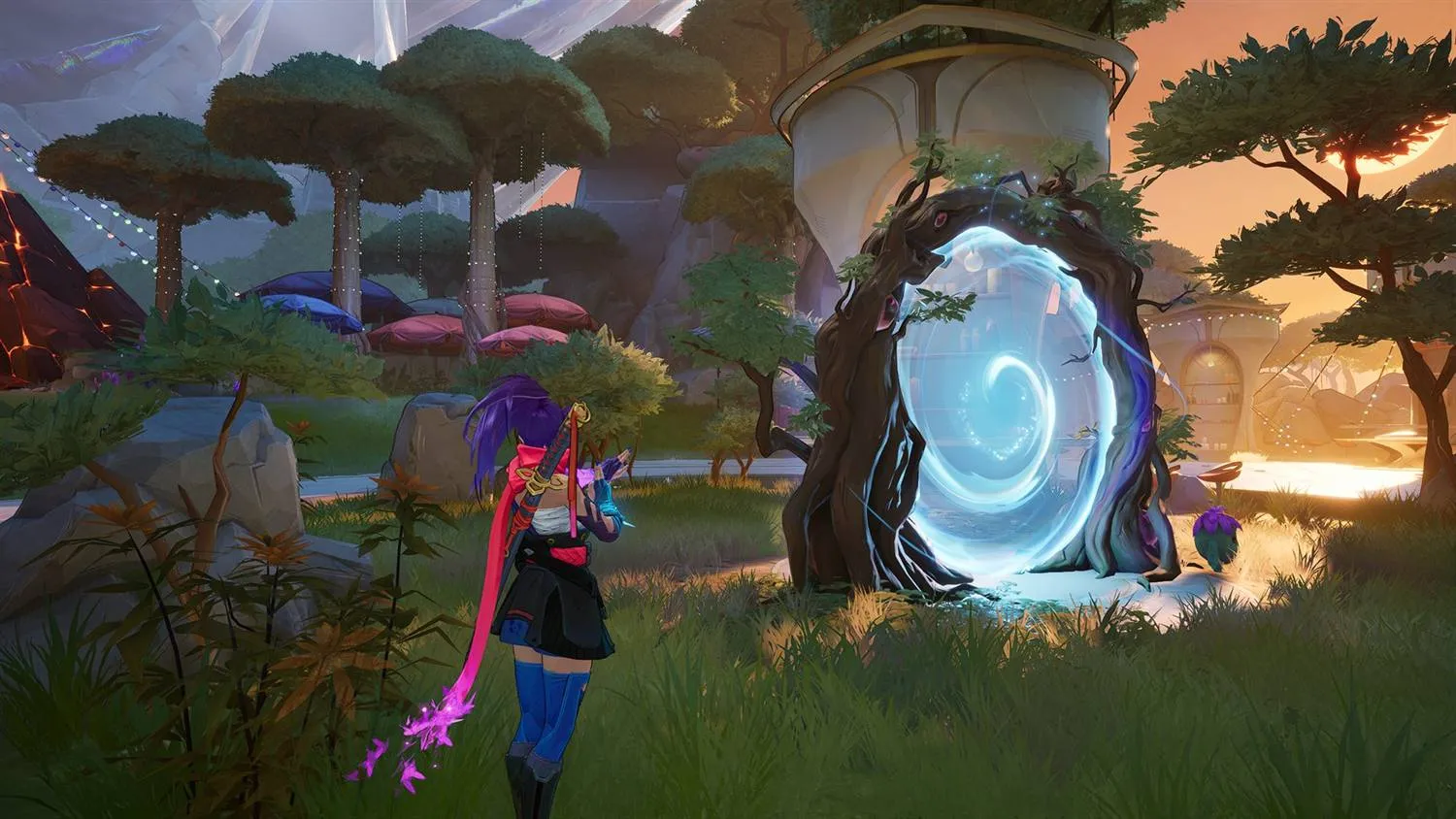
The four Marvel Rivals ReShade presets
Choosing a preset jumps the sliders to its values. Move any slider afterwards and the row stops lighting one, which is the honest signal that the numbers are yours now rather than a named set.
| Preset | Values | What it looks like |
|---|---|---|
| Default | Everything neutral | The frame exactly as the game hands it over. Every stage of the shader is an identity at these values. |
| Soft | Vibrance 0.20, Contrast 0.03, Midtones 1.03 | A nudge. Colors separate a little and nothing else moves. |
| Vivid | Vibrance 0.45, Contrast 0.07 | Stronger color with a bit more bite. This is where most people stop. |
| Bold | Vibrance 0.75, Contrast 0.12, Midtones 0.97, Black level 0.01 | Heavy on purpose, with the black floor lifted slightly so the extra contrast does not crush the shadows. |
Reset is a different neutral on purpose. It lands on Vibrance 0.35 with everything else at its no-op value, because switching the feature on should visibly do something. Default is the true no-op, and it is there for when you want to compare against the untouched game.
Vibrance balance
Under the sliders is a disclosure called Vibrance balance. It holds one weight per channel, red, green and blue, each from 0.00 to 2.00 and all three sitting at 1.00 by default.
The name is precise. These weights share out the vibrance boost, they do not add or remove color on their own. At 0 a channel takes none of the boost and stays exactly where the game drew it, which is how you lift the blues on a map without dragging the reds along with them. With Vibrance at 0 there is no boost to divide, so the weights do nothing at all, and the panel says so rather than leaving you to work it out.
The preview runs the shader the game runs
The panel's preview is not an approximation drawn with image filters.
The maths in the app's preview and the maths in the .fx file
ReShade loads in the game are one block of shader text, shared between them
character for character. A test in the app's build reads both files and fails
if they ever drift.
Two things follow from that. The first is that what you set in the panel is what your GPU runs in a match, not a suggestion of it. The second is that the preview works with no ReShade installed and nothing downloaded, which is why the app puts it above the install steps instead of behind them. Press and hold the image to see the untouched frame, and let go to put the grade back.
The same previewer runs on the Color Correction page, with the same sliders and the same presets, so you can decide whether you want the look before you install a thing.
Installing ReShade for Marvel Rivals
The tab shows three steps and each one ticks itself off as the app detects it. They disappear once the effect is running in the game.
- Download. Opens crosire's own versioned installer at reshade.me, and your browser saves it wherever it normally saves things. The app points at the standard build rather than the add-on build, because the add-on build is unsigned and its own setup warns it is meant for singleplayer games.
- The app finds the file. It watches your Downloads folder and your Desktop, and confirms a setup by reading the file's bytes rather than trusting its name. By the time you alt-tab back, the first step has ticked itself off. There is a Choose installer button for anyone who keeps downloads somewhere unusual.
- Install it for me. Runs ReShade's own setup with the game executable and the DirectX 12 proxy already chosen. Those are the two screens people get wrong, and you never see them.
- Activate. Writes exactly one file inside the game
folder,
ReShade.ini, and points it at a shader and a preset kept under your own user profile. Every slider you move after that rewrites the preset, never the game folder, which is why tuning it never asks you for anything.
If you already run ReShade for something else, switching the feature on
copies your ReShade.ini to a backup first and restores it
verbatim when you switch it off. The app appends its own effect search
path to yours rather than replacing it, so your shader library and your
presets keep working alongside it.
Switching it off
There are two off switches and they do different jobs.
End, in game
One keypress and ReShade switches the effect off instantly, mid-match, without alt-tabbing. The launcher refuses to write anything while Marvel Rivals is running, so this key is the only thing that can act inside that window. It is bound whether you ask for it or not.
The toggle, in the app
Turning the feature off renames ReShade's proxy DLL. A renamed DLL cannot win the loader search order, so ReShade never enters the game process at all: no hook, no overlay, no greeting. Turning it back on is a rename rather than a reinstall, so it is instant and works offline. Remove ReShade takes the files off your disk entirely.
When ReShade will not load
Two states account for nearly all of it, and the app names both rather than leaving you with a game that looks unchanged.
Smart App Control. crosire signs ReShade himself rather than through a trusted certificate authority, so the signature chains to nothing Windows trusts and Smart App Control blocks every build, standard and add-on alike. Turning Smart App Control off in Windows Security is the only way through it.
The add-on build. That one is unsigned, and its own setup warns it is meant for singleplayer games. Reinstall and pick the standard build. This effect works identically on it.
What was tested, and what is not being claimed
This is the part worth reading slowly, because it is your account on the line rather than ours.
What was tested
On our own rig, with the effect running in game, Marvel Rivals does not show its modification warning. That is the single line the app puts in the Color Correction tab, in green, and it is a test result rather than a promise.
What is not being claimed
Nothing here is a statement about NetEase's rules or about anti-cheat. NetEase's published rules put third-party visual modification in the prohibited category, and a color grade sits there the same way a graphic pack does. We cannot make a promise on NetEase's behalf, so we do not make one.
How to stop it
Press End in game and the effect is off instantly. Switch the feature off in the app and the proxy DLL is renamed, so ReShade does not load into the game at all. Remove ReShade takes it back off your disk.
If frames are what you are actually after, a color grade is the wrong tab: it adds a full-screen pass rather than removing work. Start with graphic pack settings and the Windows optimizations instead.
Common questions
Is ReShade free?
Yes. ReShade is free and open source, and it is crosire's project rather than ours. RIVALSFPS.GG has never bundled or hosted a copy of it. The Download button in the Color Correction tab opens crosire's own installer at reshade.me, which is what reshade.me asks people to do.
What is the best Marvel Rivals ReShade preset?
There are four in the app and they are starting points rather than modes. Soft is a nudge, Vivid is where most people stop, Bold is deliberately heavy with the black floor lifted so the extra contrast does not crush the shadows, and Default is the untouched frame. Pick one, then move a slider and it becomes your own.
Can I see the color correction before installing ReShade?
Yes. The preview draws the effect itself, both in the app and on the Color Correction page here. Nothing is downloaded, no game file is read, and the sliders work whether or not ReShade exists on your PC.
How do I turn the effect off during a match?
Press End. ReShade switches the effect off instantly. The launcher refuses to change anything while Marvel Rivals is running, so that key is the only way to undo it without leaving the game.
I already use ReShade for something else. Will this overwrite it?
No. Switching the feature on copies your existing ReShade.ini to a backup first and puts it back verbatim when you switch it off. Your own presets and shader library are left alone, and the app's effect search path is added to yours rather than replacing it.
I installed ReShade and nothing loads. What happened?
Usually Smart App Control. crosire signs ReShade himself rather than through a trusted authority, so Windows blocks every build while Smart App Control is on. The other case is the add-on build, which is unsigned and whose own setup warns it is meant for singleplayer games. The app detects both states and names which one you hit.
Can a ReShade preset get me banned in Marvel Rivals?
Nobody outside NetEase can answer that and we will not pretend otherwise. What was tested on our own rig is that with the effect running, Marvel Rivals does not show its modification warning. NetEase's published rules put third-party visual modification in the prohibited category, and a color grade sits there the same way a graphic pack does. If you would rather not run it, press End in game or switch the feature off in the app.